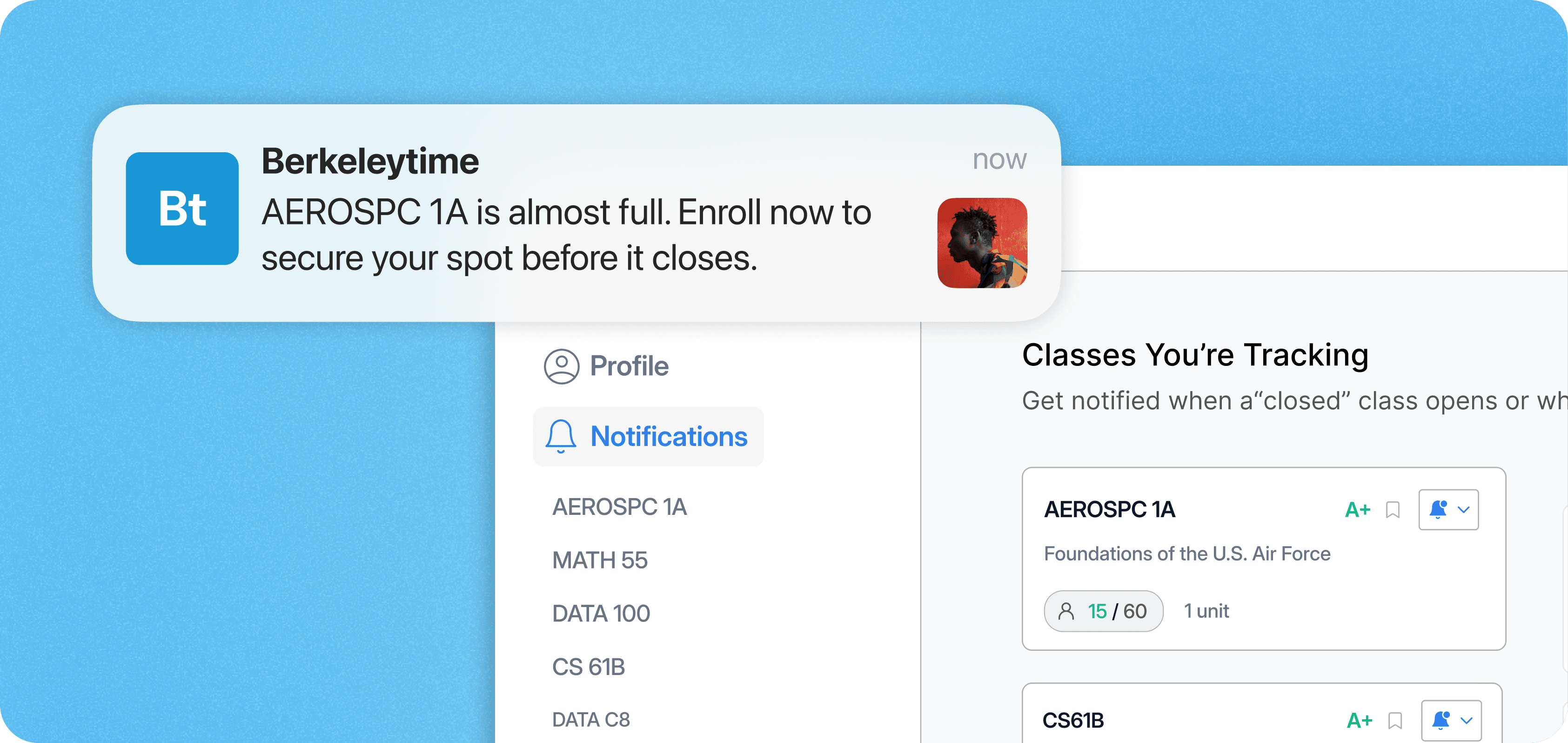
Berkeleytime
Role
Product Designer
Timeline
Feb '25 - May '25
Team
1 Product Designer
5 Engineers
Problem
How might we redesign Medocity to better engage healthcare stakeholders and increase the target-visitor conversion rate?
Outcome
Led usability testing, resulting in a 35% increase in key task completion rates and strong positive feedback from the student government.

Context
Course Enrollment is an Inefficient Process
With 30,000+ undergrads competing for limited spots in high-demand classes, UC Berkeley’s enrollment process is often stressful. When a class reaches capacity, students must manually refresh enrollment pages to check for new openings, resulting in a time-consuming and inefficient process that contributes to increased stress and uncertainty.

User Research

User Research
78% of surveyed students have tried to grab a spot in a "closed" class
As high-demand courses often fill within minutes, students have to constantly refresh the enrollment portal to check for new openings.
61% of surveyed students said their biggest challenge was getting into high-demand classes
This repeated, manual refreshing of the enrollment portal is the biggest enrollment challenge students face to date.
55% of surveyed students review historical enrollment trends before course enrollment
Many students research enrollment patterns ahead of time to identify which classes are likely to fill quickly and which can be enrolled in later with less risk.
User Persona
Product Opportunity
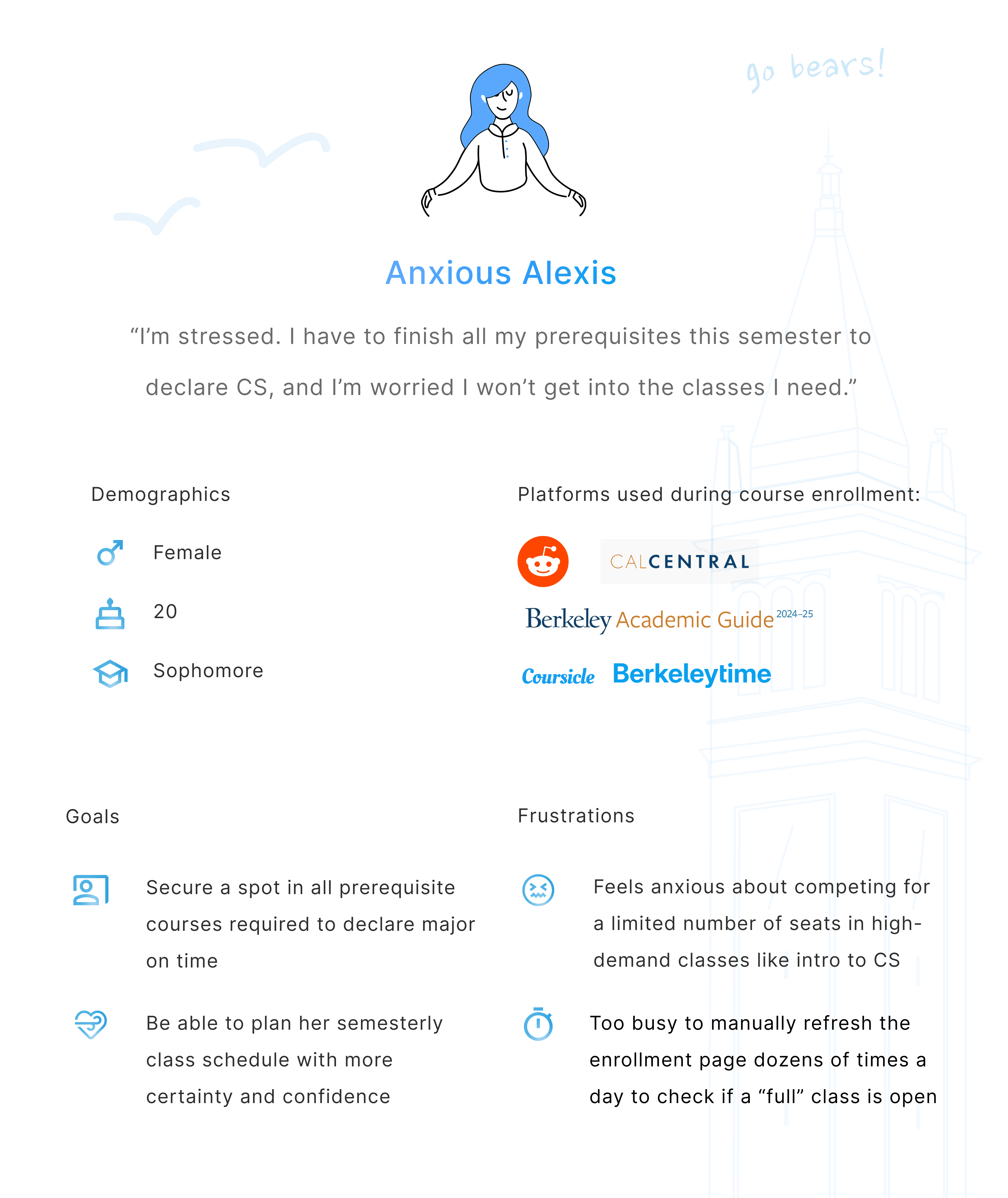
From competing to enroll in CS prereqs to refreshing CalCentral around the clock, Alexis embodies the goals, stressors, and habits of the typical Berkeley student, helping me consolidate who I’m designing notifications for.
Revisiting the problem statement
How might we redesign Medocity to better engage healthcare stakeholders and increase the target-visitor conversion rate?

Ideation
Lo-fi Prototypes
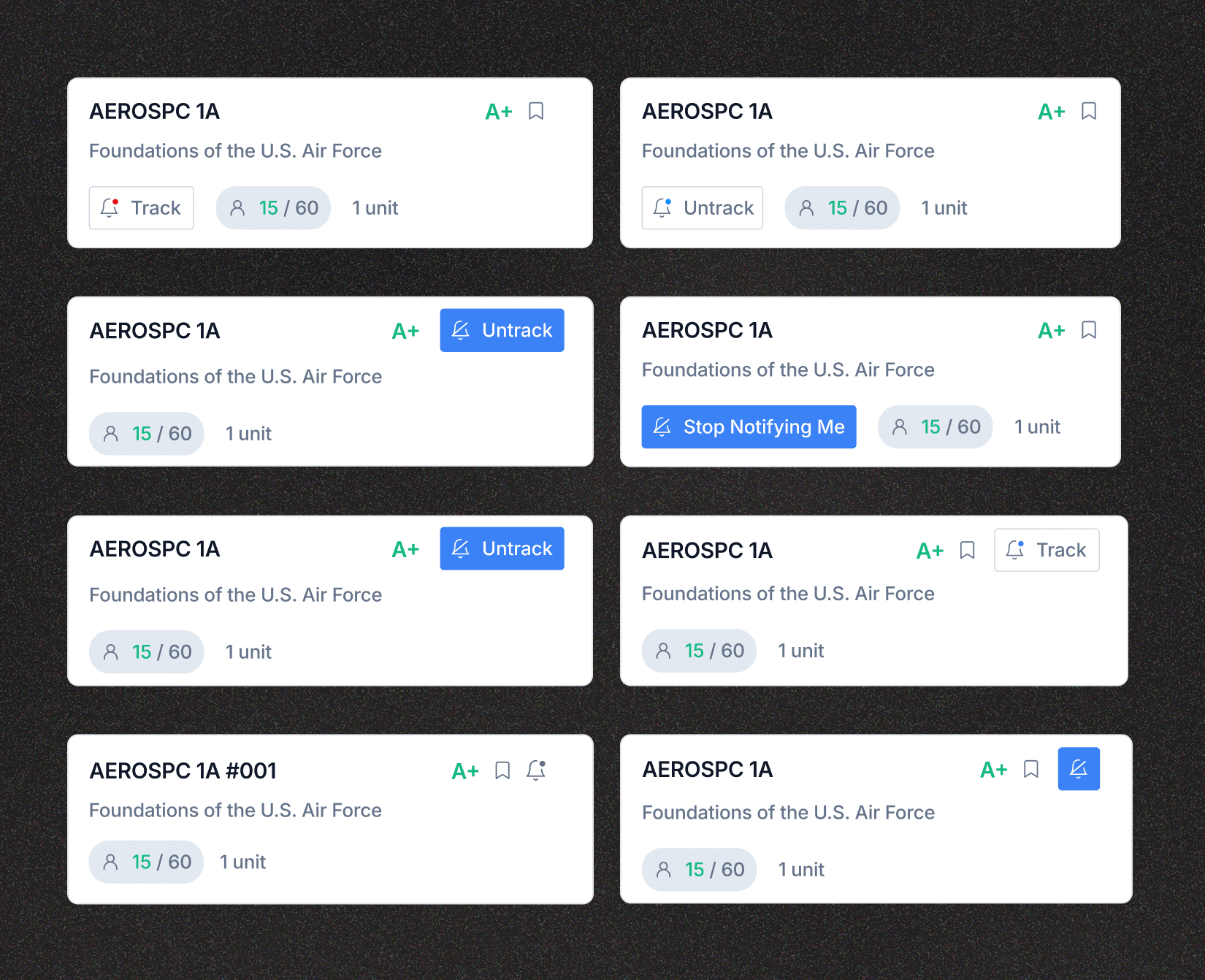
I conducted usability testing with 7 UC Berkeley students to better understand to better understand their ability to locate and manage notification settings and understand potential usability issues and areas for improvement.
Iterative Exploration
Usability Testing
I conducted usability testing with 7 UC Berkeley students to better understand to better understand their ability to locate and manage notification settings and understand potential usability issues and areas for improvement.
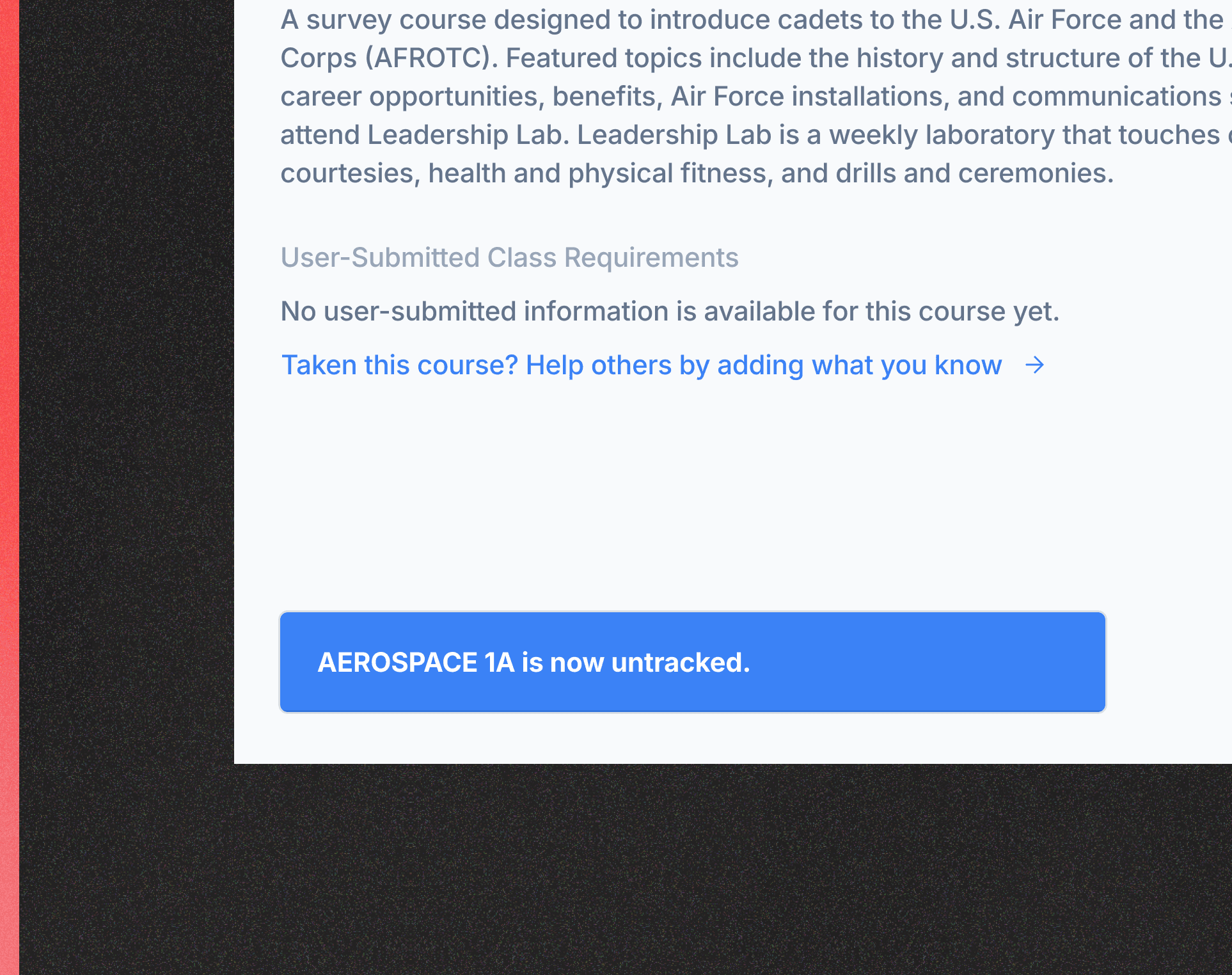
Before
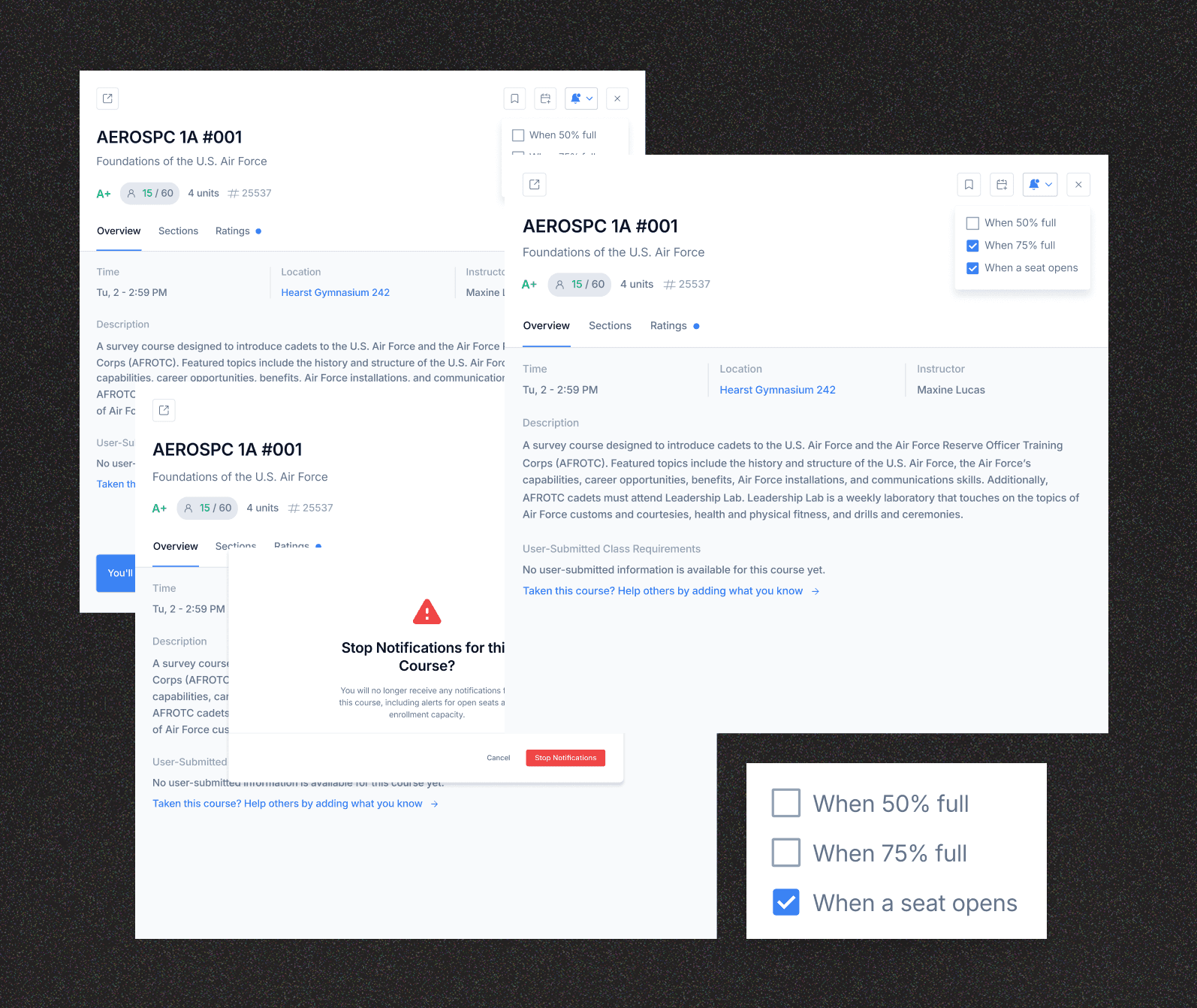
The original design confirmed course unlocks with a subtle toast, but lacked a clear way to undo the action. Without a visible unfollow path, users risked accidental clicks and confusion.
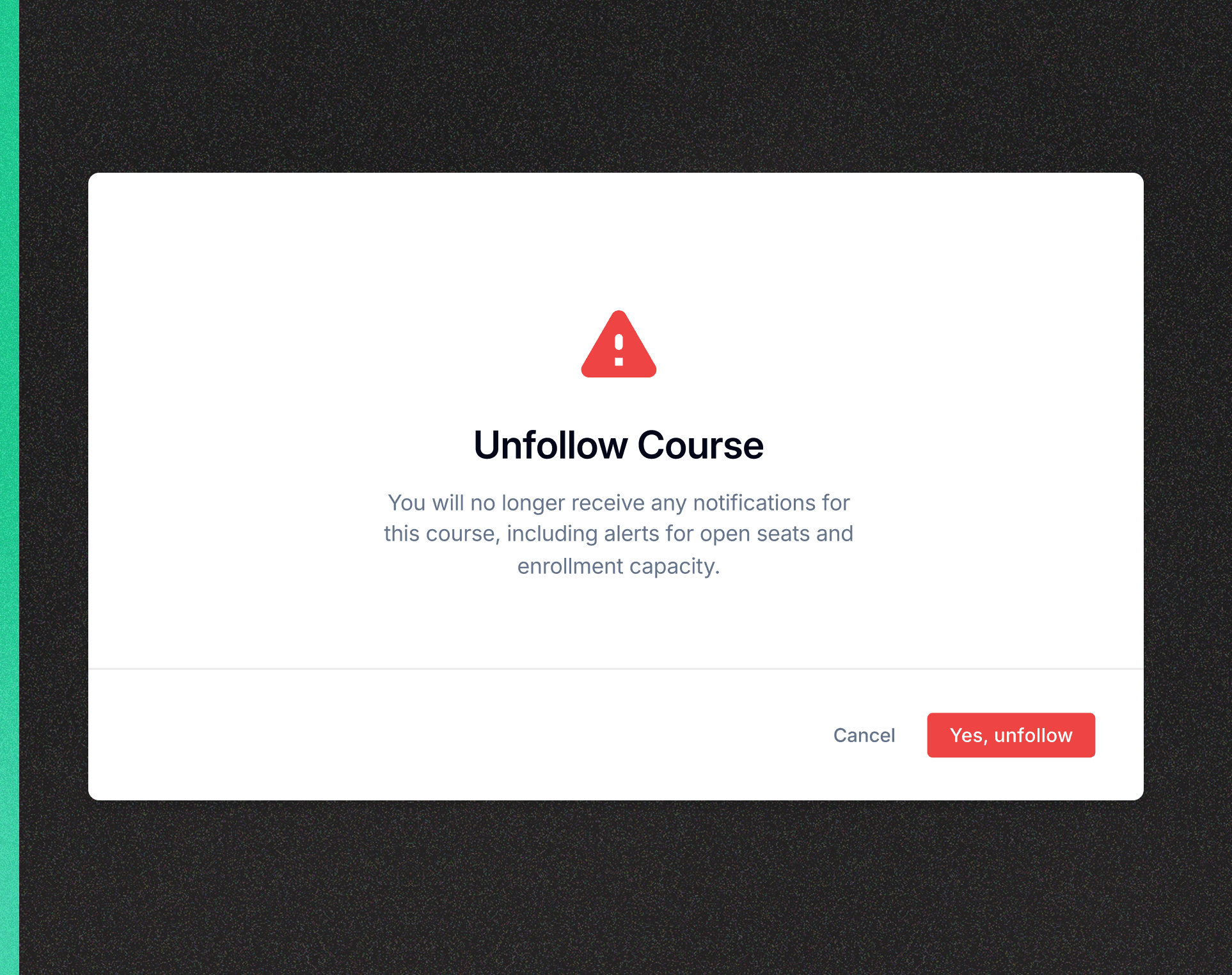
After
I added a confirmation modal when unfollowing a course that prevents mistakes with a confirmation step and uses semantic color to clearly signal a destructive action.

Before
Initial concepts included a search bar on the notification settings page. However, user feedback and heuristic evaluation revealed this added unnecessary technical complexity.
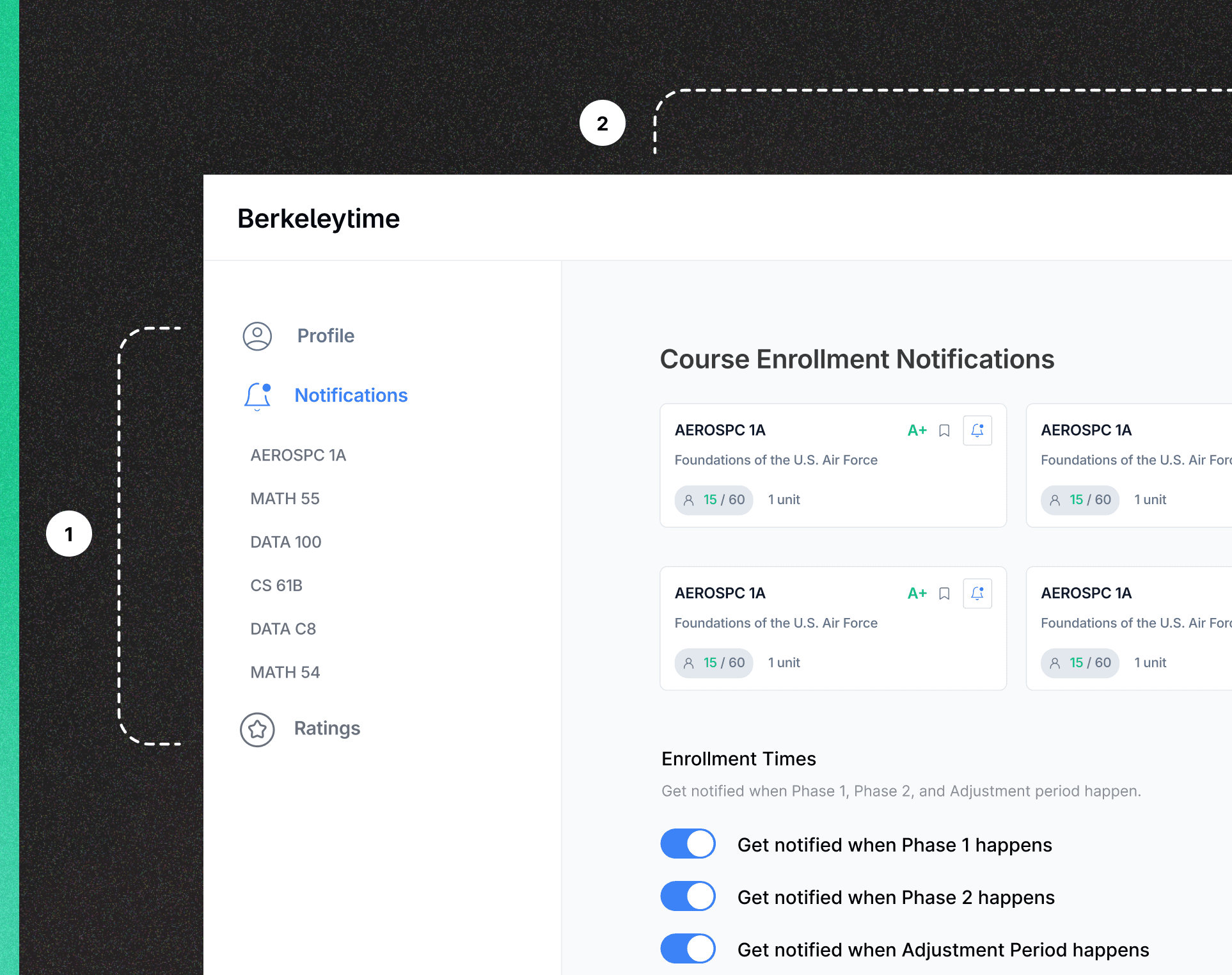
After
I redesigned the page so that users can clearly track all the courses for which they have notifications enabled, allowing them to manage settings more efficiently.
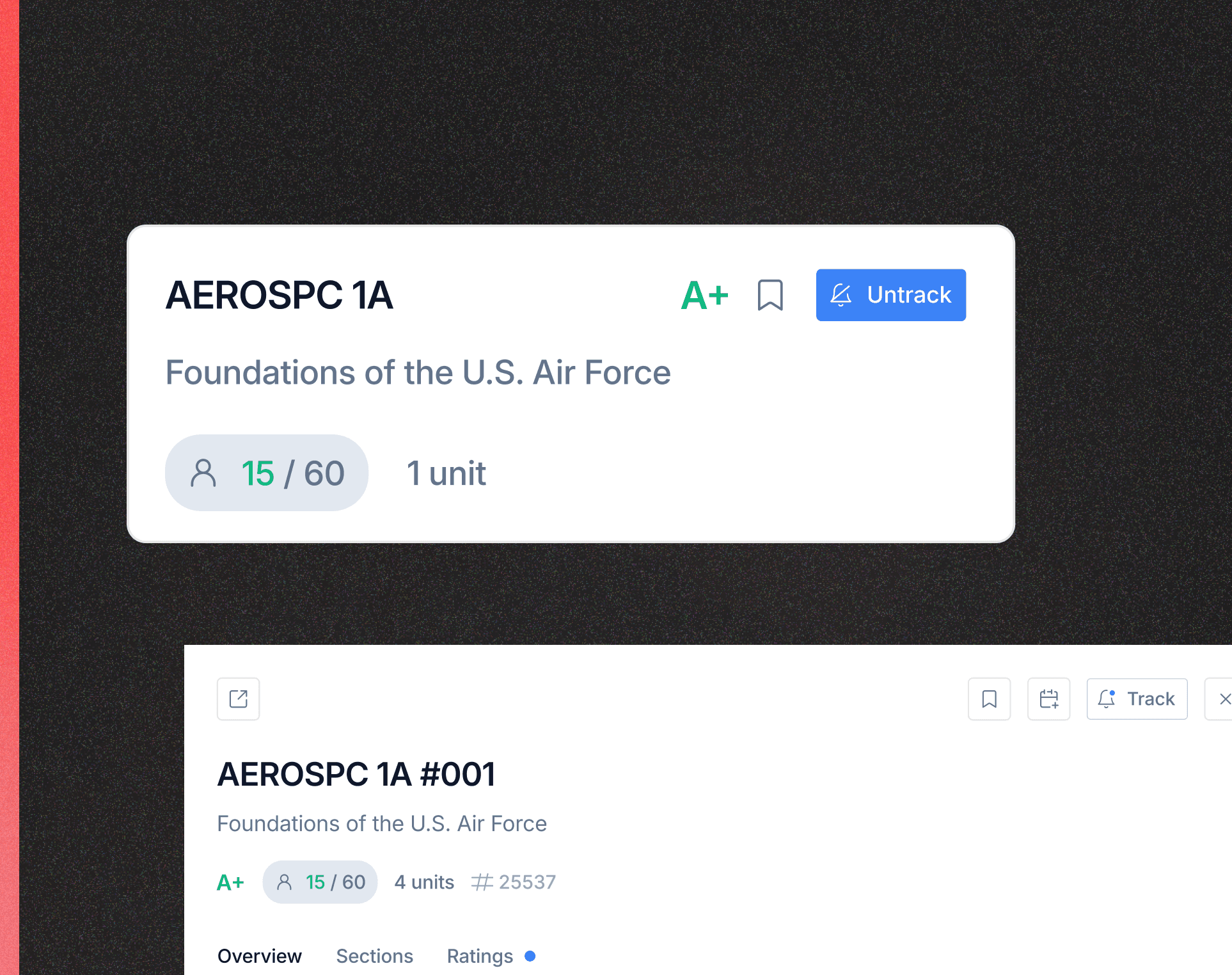
Before
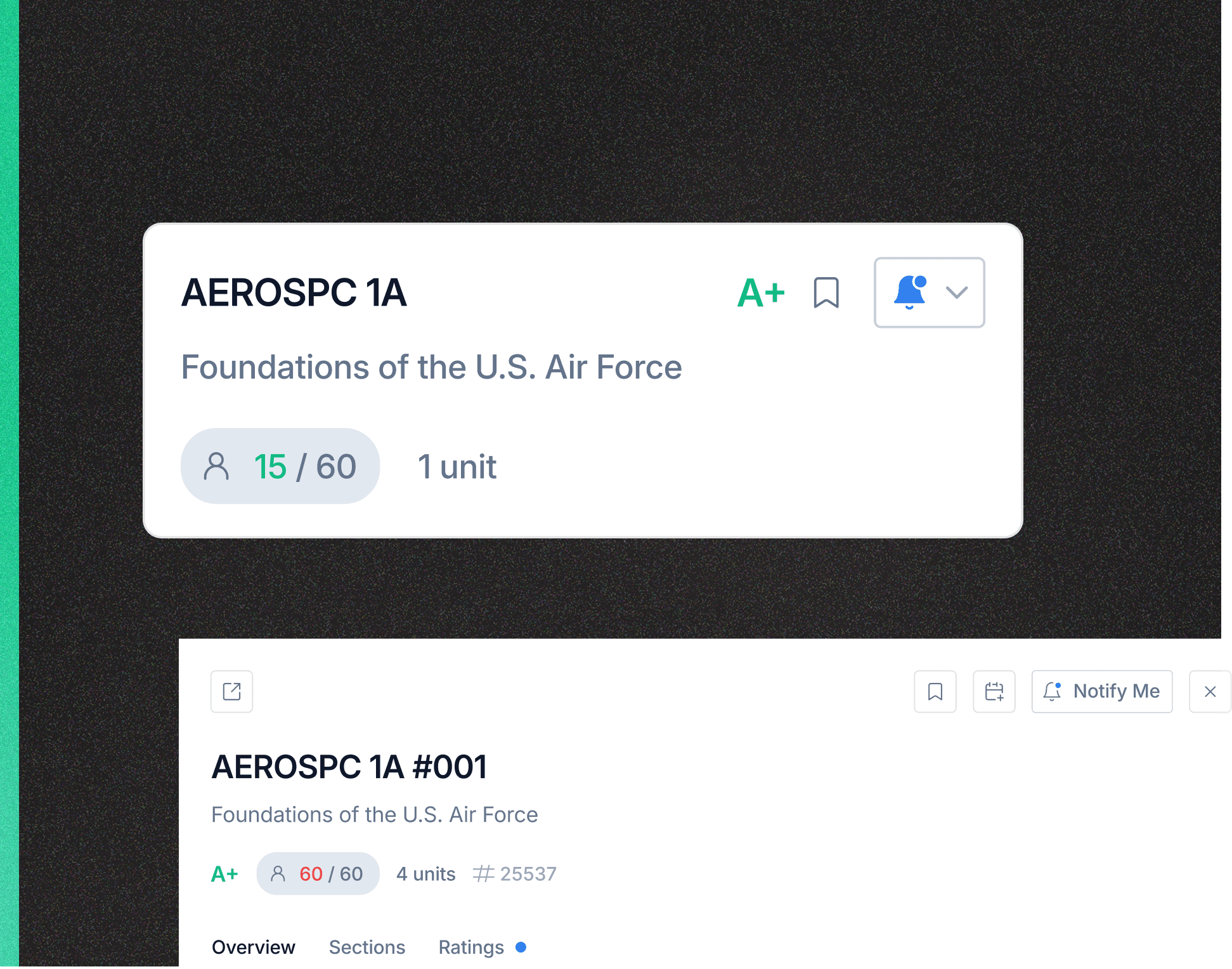
The original design used a bright blue, high-contrast bell icon, which created significant visual noise, making the page feel overwhelming and difficult to scan.
After
I replaced the high-contrast color with a more subtle style to reduce visual noise and make long course lists easier to scan and added a "Notify Me" label for the expanded course view, improving clarity.

Next Steps
Designer turned Frontend Engineer
User Research
Using AI to experiment with interactive prototypes
I'm planning to use Cursor AI to explore interactive prototypes before my team opens up our repo and begins frontend implementation in September 2025. Our goal is to deploy by the end of December.
Stepping into the role of a PM
I'm planning to use Cursor AI to explore interactive prototypes before my team opens up our repo and begins frontend implementation in September 2025. Our goal is to deploy by the end of December.